Features
Everything in the app, and what it does for your table
Worlds, campaigns, encounters, six libraries, maps and export. All of it free, all of it on your own device.
Worlds & campaigns
One world holds every campaign you run in it
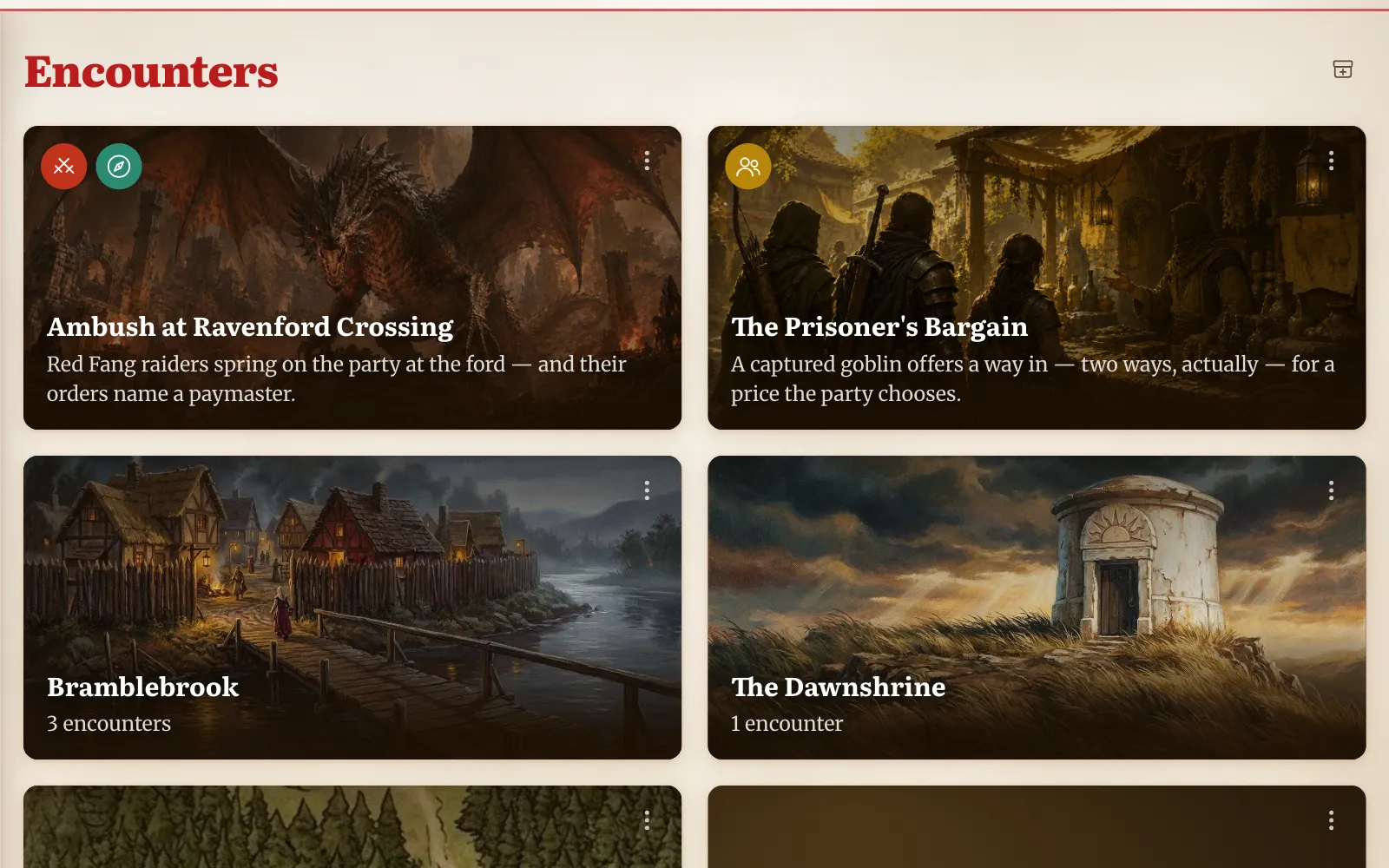
A world is the container for everything: its libraries, its maps, and any number of campaigns. Each campaign holds a tree of encounters that you can nest into groups, drag into order, and give cover images and pages of their own.
Encounters are typed as social, exploration or combat, so a session reads as a rhythm rather than a list. Start a second campaign in the same world and every NPC, monster, item and map you already wrote is there waiting.
The encounter editor
Add the sections a scene needs, in the order it happens
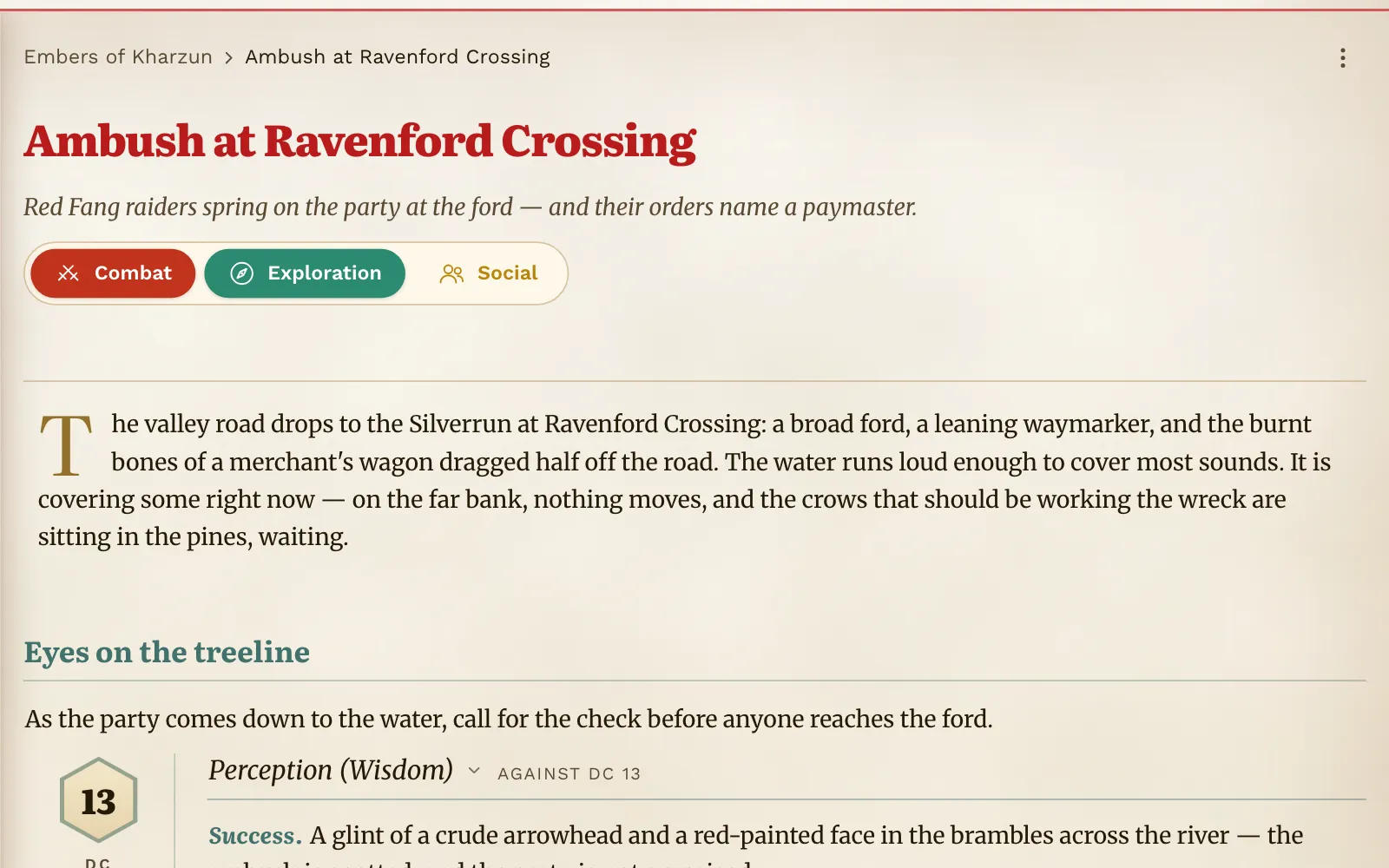
An encounter is built from sections you choose: read-aloud text, environment, notes, monsters with a count, NPCs linked from your world, a skill check with its DC and both outcomes, a loot purse with coins and items, and images.
Drag sections into the order you will speak them. Drafts save as you type and deletes can be undone, so nothing is lost the night before a session.
The six libraries
Write it once, use it anywhere in the world
Every library is a tree you can group, nest and drag to organise, with cover art and a gallery view. Entries link into encounters, loot and each other, so a name you write today is still one click away in a year.
NPCs
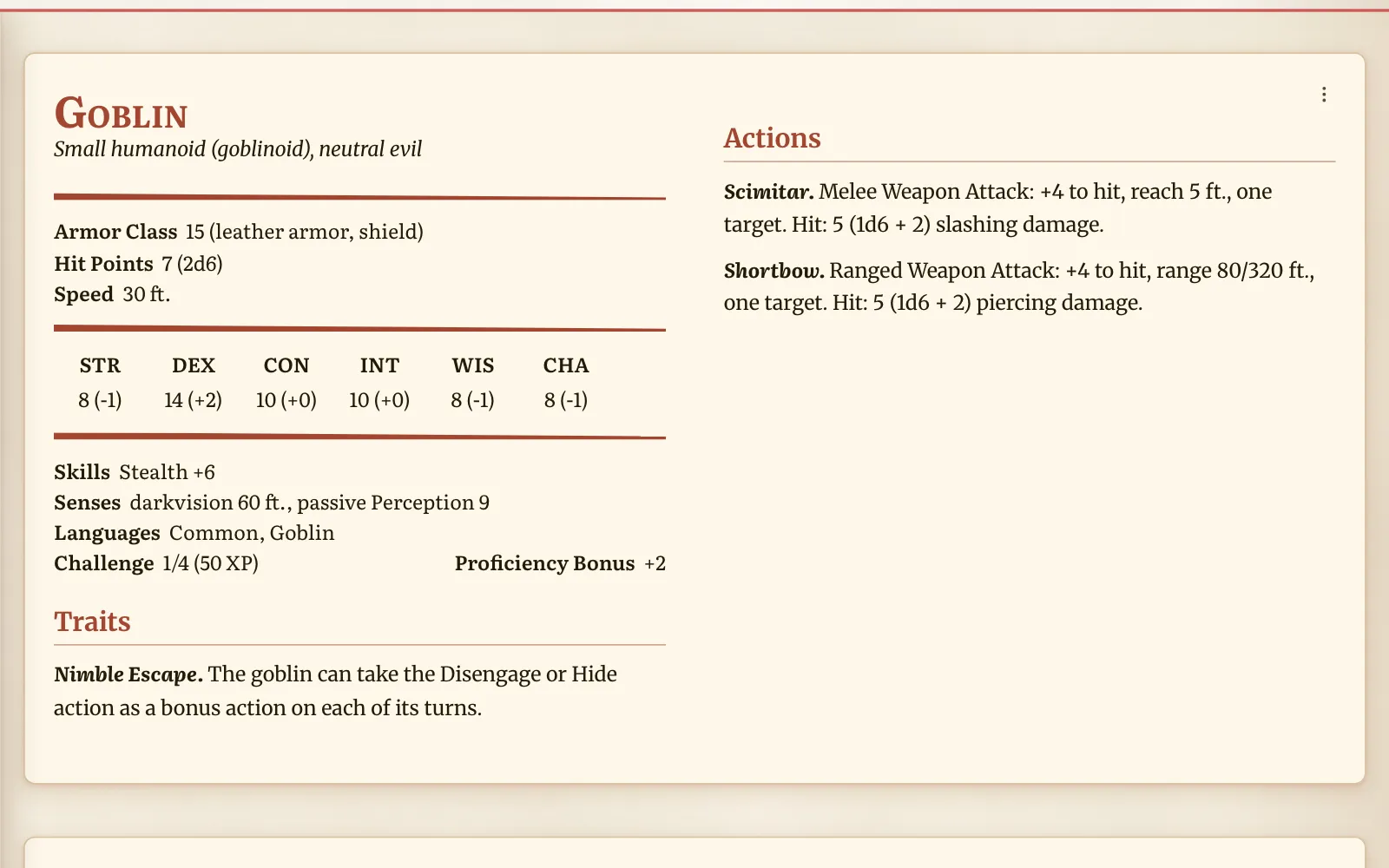
A full sheet for each one, and a proper stat block when they turn up in an encounter.
Players
Character sheets that work out proficiency, initiative, saves, skills and passive Perception for you.
Lore
One free page per entry. Call it a deity, an era, a town or a dungeon — the kind is yours to name.
Monsters
Your own bestiary. Drop a creature into a fight and the encounter keeps its own copy.
Items
Cost in coin, rarity, attunement and properties, linked straight into loot and character sheets.
Maps
Your own images, pinned and linked to everything else in the world.
Maps & pins
Pins that lead somewhere
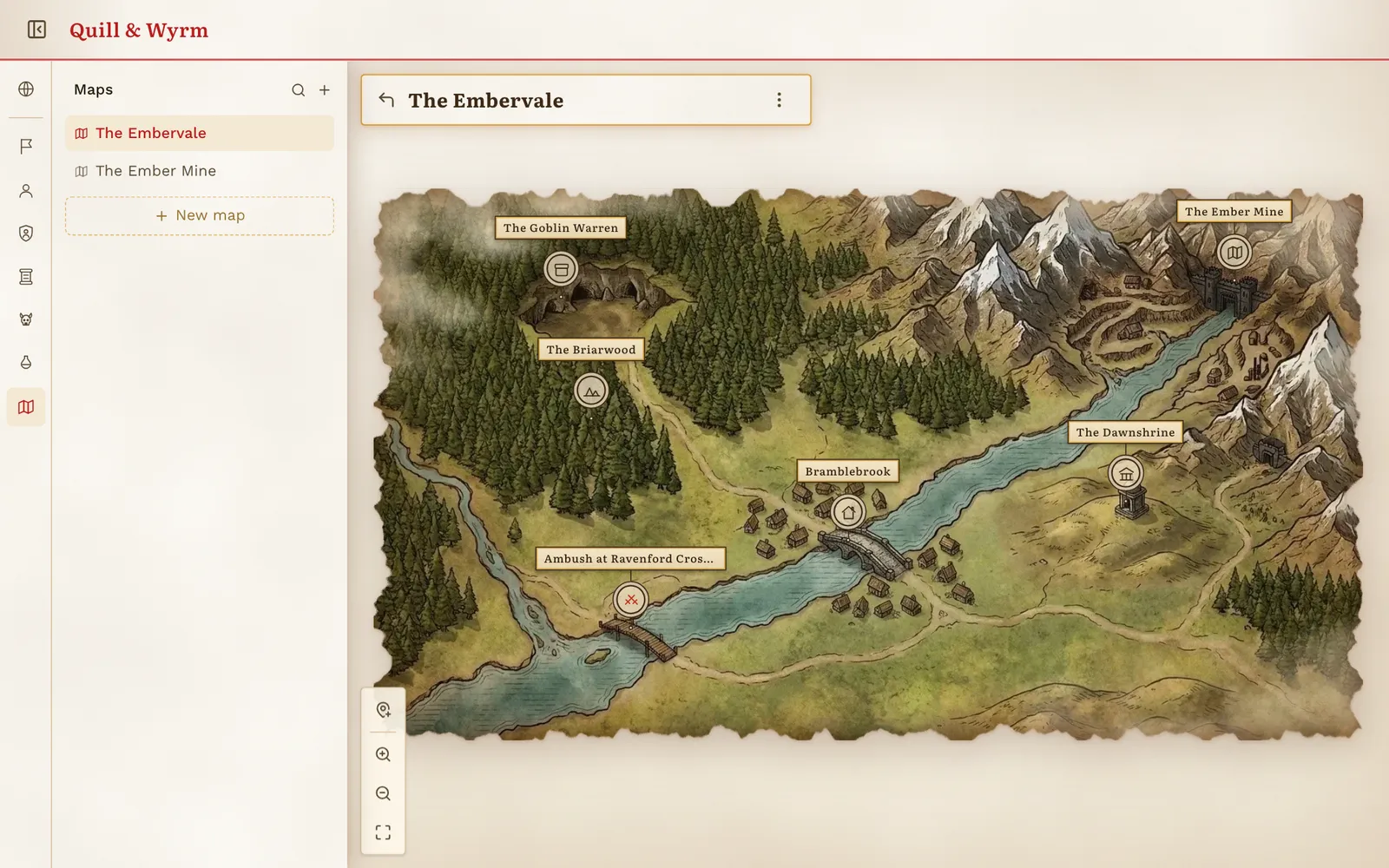
Upload your map and it opens on a pan-and-zoom parchment canvas, with pins clustering as you zoom out. A pin can point at an encounter, a group, a lore page or another map, so a region drills down to a city and a city down to a room.
Place pins in ghost mode, pick their target from a list, and open a detail card with one click. If a pin's target is deleted, the app tells you instead of failing quietly.
Writing & content
Type an @ and your world is right there
Every prose field in the app is the same editor: formatting where you want it, images pasted inline, and @-mentions that link to any NPC, monster, lore page or map. Hover a mention and its card appears without leaving the page.
Behind the formatting it is plain Markdown, so what you write stays readable outside the app. Monsters, items and spells can be searched and imported from the Open5e SRD, then edited like anything else you wrote.
Your files
On your device, and out again whenever you want
There is no account and no server. Your worlds are stored in the browser on the machine you use — nothing is uploaded, and nothing reaches anyone else unless you export it and send it yourself.
Markdown for anything
Export a single encounter, one section of it, or a library entry as a Markdown file you can read anywhere.
Sheets and stat blocks
An NPC, a player character or a monster leaves as Markdown too — the same sheet you filled in, as a file you own.
Print it for the table
Print or save a PDF of the page as it looks on screen — stat blocks, cards and art intact.
On the roadmap
Coming next
- A world in one file: export a whole world, images included, and import it on another machine
- Encounter difficulty calculator with 2024-rules math, with your party wired in as the size and level source
- File-based campaign sharing — links with no accounts and no servers
- Install as an app (PWA) with full offline support